
Searching Cases by Name
Pick the court first. Then type the name. That order matters for an Ochiltree County case search, because files sit with different clerks. The Ochiltree County District Clerk keeps 84th District Court files. Those files cover felony, civil, and family matters. The County Clerk holds county criminal, civil, probate, juvenile, and mental-health cases. Justice Court handles traffic, small claims, and evictions. Perryton and Booker municipal clerks keep their own city cases. Since the same name can appear in more than one court, a name alone is never a sound match. Restated carefully: the same name can appear in more than one court. A name alone is never a sound match.
- Identify the likely court and case type first.
- Enter the name as it appears on the filing, then test initials, spacing, and alternate spellings.
- Narrow the Ochiltree County case search with an approximate filing or hearing date.
- Compare the cause number, case style, court, and event dates on each possible result.
- Ask the file custodian to confirm the match before relying on a key status or date.
The County Clerk gives a practical tip for official records: search both names, and try one last name for a broad sweep. Good index advice. It still won't turn a recorded-instrument search into a complete court case lookup.
Ochiltree County Case Search Modes
re:SearchTX is the statewide layer for eligible Texas electronic court records. Its official quick-reference material documents four search modes. They are Cases, Filings, Text in Documents, and Hearings. A keyword box gets the search going. The documented workflow adds filters, advanced search, case-detail views, filing-detail views, hearing dialogs, result export, and saved searches. Filter labels and available documents can differ by role and current interface access.
| Search field or control | Use | Access note |
|---|---|---|
| Keyword | Starts a broad search in the selected mode | Documented in the official guide |
| Cases | Finds eligible case records | Coverage and role limits apply |
| Filings | Locates eligible filed items | Open the item for filing details |
| Text in Documents | Searches indexed document text | Only available text can be searched |
| Hearings | Finds eligible hearing data | Open the hearing type for detail |
| Advanced search | Narrows a selected mode | Live options must be checked |
Treat county, party, court, and cause number as possible filters rather than guaranteed live field labels. The interface you see is the guide; rely on the controls it actually shows.
Searching by Case Number
A cause number is the key the court assigns to a file. It separates similar names far better than a broad name query. So preserve it exactly, with every prefix, suffix, space, and dash. Pair the number with the court name, Ochiltree County, and the case style. The 84th Court hearing-request form asks for both a case number and a style. That shows why those fields work as a set.
Ochiltree County does not publish one universal cause-number format. Enter cause number exactly as assigned by the clerk rather than a made-up string. A number from one county may not retrieve a file in another. Even so, the 84th District Court serves Ochiltree, Hansford, and Hutchinson Counties. Note that the 84th Court form requests a setting. It is not a historical case-search screen.
Ochiltree County Case Search Sign-In
The re:SearchTX guide tells users to register or sign in with eFileTexas credentials. Account status can affect both search tools and document access. The official re:SearchTX entrance shows that statewide sign-in route.
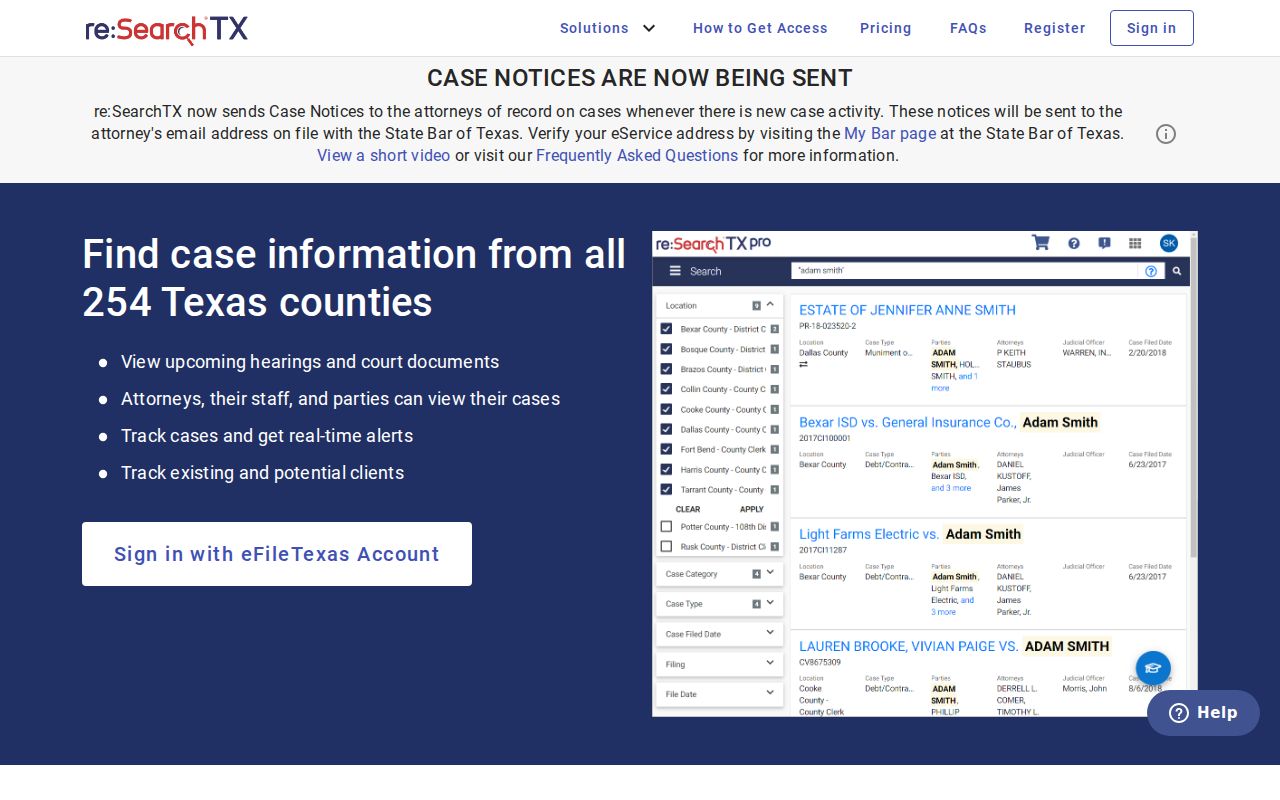
This screen is a gateway, not proof that every Ochiltree County case or document sits online. Results still need checking against the court and the local office that holds the file.
What a Case Search Returns
Ochiltree County offers no anonymous public register of actions. A register of actions is the chronological index of filings and court events. So a docket search may fill that role. The fields described here come from official court forms, documented search functions, and the local docket glossary. Coverage, court type, document access, and user role all vary. A specific search may show fewer fields.
| Cause number | The court identifier used to retrieve and request the file |
|---|---|
| Case style | The caption or party names associated with the matter |
| Court and county | The tribunal that owns the record and the county file location |
| Case type | A routing label such as civil, family, criminal, probate, traffic, or eviction |
| Filing or hearing | An event or submitted document, not by itself a ruling |
| Status or disposition | A coded stage or result that should be checked against the signed record |
A hearing setting is not a verdict. A motion marked filed is not an order granting it. When the result matters, read the signed order or judgment and confirm it with the Ochiltree County clerk who holds the original file. The fuller Ochiltree County court records route can help when a search identifies the case but not the document you need.
Ochiltree County Criminal Search Gap
Criminal case records are excluded from the re:SearchTX public repository, according to the Texas Office of Court Administration's 2024 description. That is a coverage limit, not proof a criminal matter does not exist. For an Ochiltree County felony case, contact District Clerk Shawn Bogard at (806) 435-8054 or districtclerk@ochiltree.net. County-level criminal files route to County Clerk Sandra I. Limas at (806) 435-8039 or countyclerk@ochiltree.net. Justice matters go to (806) 435-8020 or justice@ochiltree.net.
Municipal records stay separate too. Check a Perryton or Booker citation with the city court named on the citation rather than forcing it through an Ochiltree County district search.
Statewide vs County Case Search
Statewide and local access solve different problems. re:SearchTX can locate eligible electronic material across participating courts. The local clerk remains the source for the original Ochiltree County file. The clerk also holds certified copies, missing criminal content, and records that never reached the statewide repository. Texas Online Records offers a county-selection route linked by local clerk pages. Picking Ochiltree County there does not mean every local docket is present. So weigh both tools before trusting either one.
| Point | Statewide re:SearchTX | Ochiltree County custodian |
|---|---|---|
| Best use | Eligible cases, filings, text, and hearings | Original court file and direct confirmation |
| Access | Register or sign in; role limits may apply | Phone, email, mail, or clerk counter |
| Known gap | Criminal exclusion in OCA's public description | Rules vary by district, county, justice, or city court |
| Copies | Available electronic items, subject to terms and fees | Regular or certified copies requested from custodian |
Neither route works as a name-only identity check. Match the court, cause number, style, and date before deciding two references concern the same case.
Ochiltree County Case Search Filing Layer
Ochiltree County uses NetData as its local case-management system. That system is not a public search page, so do not expect to browse dockets through it. eFileTexas plays a different role. It handles electronic filing and service for Texas courts, but it does not serve as an archive where anyone can scroll through an Ochiltree County case history. Attorneys must file electronically in the court categories the state system spells out. Non-attorneys are encouraged to use it too, and the County Clerk keeps a local kiosk that may open that door for them. The official eFileTexas landing page lists service providers, active courts, reviewers, and filing help.
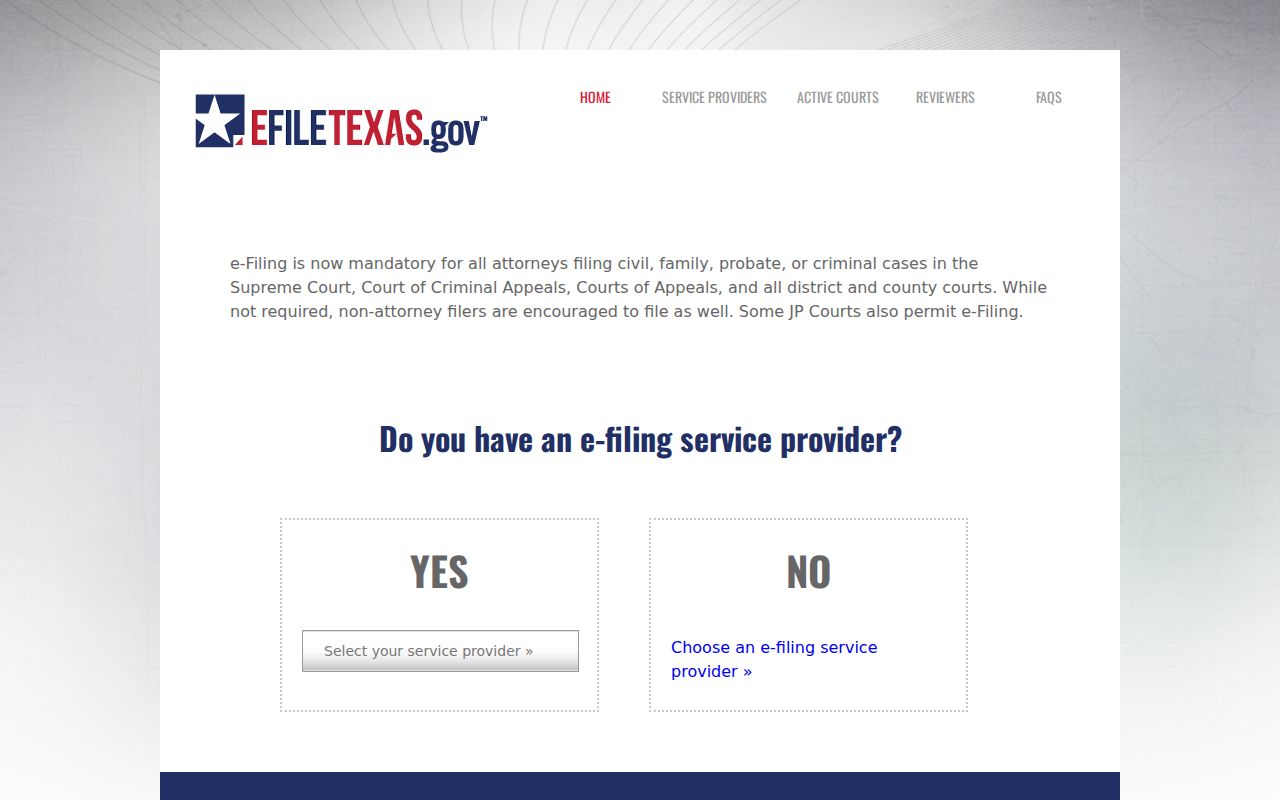
A filing receipt only proves you submitted something. It does not prove the clerk accepted the item or posted it to the docket. Check the case record, or ask the responsible clerk directly, before assuming the filing made it onto the docket.
Access and Restricted Cases
Public access has firm limits. Texas Rule of Civil Procedure 76a starts from a presumption that court records are open, yet it also sets a standard for sealing them. Sensitive data in filed papers falls under Rule 21c. Texas Family Code Chapter 58 restricts juvenile justice information. So a public docket result may be missing sealed, expunged, protected family, medical, financial, or personal-identifier content. Material can be withheld, redacted, or simply absent.
Judicial records are not treated like ordinary executive-agency records under the Texas Public Information Act. The Texas judicial open-records policy sends requesters to Rule 12 and the proper custodian. When you ask, request an existing item and identify the court, cause number, document, date range, and copy format you want. The custodian does not have to build a new report or legal analysis for you.
Ochiltree County Case Search Custodians
A direct request works only when it lands in the office that owns the file. District, county, and justice records do not sit in one combined Ochiltree County case-search collection. Each office can confirm its own coverage. Ask about its copy process and access limits too. Municipal matters still route to the city clerk.
District Clerk
84th District Court felony, civil, and family records
(806) 435-8054
districtclerk@ochiltree.net
County Clerk
County criminal, civil, probate, and other county categories
(806) 435-8039
countyclerk@ochiltree.net
Justice Court
JP traffic, small claims, evictions, and justice records
(806) 435-8020
justice@ochiltree.net
Help the clerk help you. Give a court name, cause number if known, case style, date range, and the exact record sought. That beats asking an office to comb every possible file for a common name.
Ochiltree County Case Search Channels
When a portal fails, work the whole access chain. Visit the relevant clerk counter at the Ochiltree County courthouse, 511 S. Main Street, Perryton, Texas 79070. A targeted request can also travel by phone, email, or mail. Reach the District Clerk, County Clerk, or Justice Court that way. For 84th District Court setting logistics, the court administrator sits at P.O. Drawer 3437, Stinnett, Texas 79083, reachable at (806) 878-4022 or 84@hutchinsoncnty.com. The statewide repository stays open too. It serves as an added route for eligible electronic cases.
- Use re:SearchTX for eligible statewide electronic records.
- Call or email the clerk that owns the Ochiltree County file.
- Visit the clerk counter for direct record and copy questions.
- Mail a narrow request with the court, cause number, document, and date range.
- Use the county public-information form only when it fits county-held information; it is not a universal court-record form.
Do not count on a public terminal at the courthouse. The County Clerk does document an e-filing kiosk. But that kiosk exists for filing access, not as a public case-search terminal.
Ochiltree County Index Date Boundary
CountyGovernmentRecords covers current indexed official records back to July 1974, according to the County Clerk. Older material may need a volume and page reference. It is not fully indexed. Keep that date in perspective. It marks an indexing boundary for recorded instruments, nothing more. It does not prove older court cases are gone, and it does not turn the portal into a full Ochiltree County lawsuit database.
Use the portal for the records it was built to index. For a district, county, justice, or municipal court case, route the docket search to the right place. Send it to the correct court custodian. If you need an old recorded instrument, hand the County Clerk the document number or volume and page when known. Registration carries no setup fee. The clerk describes portal images as costing $1 per page.
Fix Ochiltree County Case Search Gaps
An empty result calls for a new route, not a quick conclusion. Verify the county first. The 84th District Court spans three counties. So the court name alone will not pinpoint the county file. Then check the exact cause-number punctuation, case style, initials, spelling, and likely date. Search the right category. Note the date the portal was checked, since system coverage can change over time.
Still nothing? Contact the proper clerk and request one existing record. Say "Ochiltree County," and name the court. Give the cause number if known. Describe the document or docket sought, and provide a date range. Pick electronic, regular, or certified form. The County Clerk warns that staff will not perform every broad search a caller requests. A precise query hands the clerk a usable retrieval key.
Finally, never publish or rely on a name-only match. Confirm the court, county, cause number, case type, and dates against the original record. Only then treat a result as the right case.